From the run dialog in Windows XP you can open folders by using the following shortcuts.
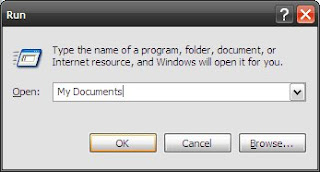
| . | C:\Documents and Settings\<username>\ |
| .. | C:\Documents and Settings\ |
| \ | C:\ |
| Assembly | C:\WINDOWS\assembly |
| Cache | C:\WINDOWS\system32\Cache |
| Desktop | C:\Documents and Settings\<username>\Desktop |
| Favorites | C:\Documents and Settings\Me\Favorites |
| Fonts | C:\WINDOWS\Fonts |
| My Documents | C:\Documents and Settings\Me\My Documents |
| SendTo | C:\Documents and Settings\<username>\SendTo |
| Start Menu | C:\Documents and Settings\<username>\Start Menu |
| Tasks | C:\WINDOWS\Tasks |
*The folders may vary depending on your windows configuration.
As far as I can tell, you can open directories that exist in the following directories by just typing in the directory names (without the full paths):
· C:\WINDOWS\
· C:\WINDOWS\system32
· C:\Documents and Settings\<username>\
This got me to thinking. If you are like me and would like to quickly go to different directories, you can creat shortcuts to those different directories in your “C:\Documents and Settings\<username>\” directory. Give this a try. Hit
Windows Key + R to bring up the run dialog and type “.” to go to the “C:\Documents and Settings\<username>\” directory. Right click in the directory and select “New\Shortcut” and create a shortcut to another directory. Now hit
Windows Key + R to bring up the run dialog again and type in the name of the shortcut that you just created. You should be taken to that directory.
.gif)


